Collaborator Splits
Learn how to add collaborators to your beats, assign revenue percentages, and understand purchase notifications and revenue sharing on BeatMantra.

Overview
Collaborator Splits allow producers to add other BeatMantra producers to a beat and assign each collaborator a percentage of the agreed revenue.
When a customer purchases a beat with collaborators assigned, the other collaborators receive an email notification about the purchase.
BeatMantra uses direct payments, so collaborator shares are not automatically distributed to the other collaborators. The producer receiving the payment is responsible for paying the agreed shares separately.
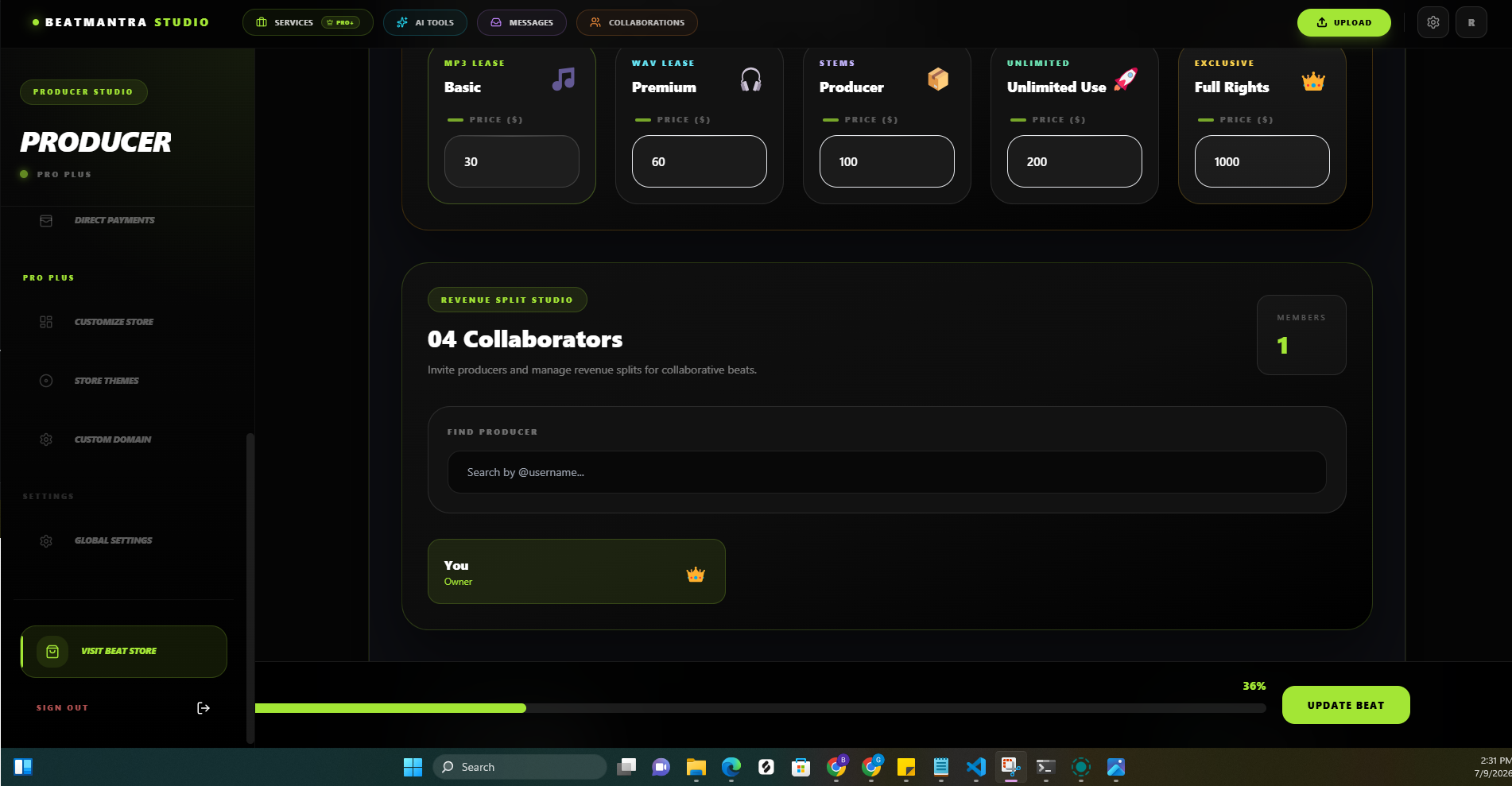
Adding Collaborators
You can add collaborators when uploading or editing a beat. Search for the relevant BeatMantra producers and assign their agreed revenue percentages before publishing.
- Open the beat upload or editing page.
- Locate the collaborator section.
- Search for and select a BeatMantra producer.
- Enter the percentage assigned to that collaborator.
- Repeat for any additional collaborators.
- Review the percentages before saving or publishing.
Split Percentage Requirements
The total collaborator split percentage must equal exactly 100%.
- The combined split percentage must equal 100%.
- Negative percentages are not allowed.
- The same collaborator cannot be added more than once.
- Review all percentages before publishing your beat.
Example of a Collaborator Split
Suppose three producers work together on a beat and agree to divide the revenue as follows:
- Producer A: 50%
- Producer B: 30%
- Producer C: 20%
The percentages add up to 100%. These figures document the agreed allocation between the collaborators.
Make sure everyone agrees to the percentages before the beat is published.
What Happens When the Beat Sells?
- A customer purchases your beat.
- The purchase is successfully completed.
- The other collaborators receive an email notification about the purchase.
- The producer receiving the direct payment is responsible for settling the agreed collaborator shares separately.
Collaborator Splits do not automatically divide or transfer payments between producers. Email notifications inform collaborators about purchases, but they do not constitute payment of their shares.
How Collaborators Receive Their Shares
Because BeatMantra uses direct payments, the payment is not automatically divided between collaborators according to their configured percentages.
Producers should agree in advance on how and when collaborator shares will be paid. The producer receiving the payment must arrange the agreed transfers separately.
Adding a collaborator to a beat does not automatically connect that person's payment account or initiate a transfer to them.
Collaborator Purchase Notifications
Collaborators receive an email notification when a beat they are associated with is purchased.
The notification helps collaborators stay informed about sales involving their work. However, receiving an email does not mean that their revenue share has been transferred.
Before Publishing
- Verify that every collaborator is correct.
- Confirm that all percentages total exactly 100%.
- Agree on the revenue allocation with every collaborator.
- Agree on how collaborator shares will be paid.
- Confirm that you have the necessary rights and permissions.
- Review the final configuration before publishing.
Can I Change Collaborator Splits?
Review the collaborator settings when editing a beat and make sure everyone agrees to any changes.
Do not assume that changing the configured percentages automatically changes the terms of an existing agreement or the allocation for previous sales.
Best Practices
- Agree on revenue percentages before releasing a beat.
- Keep a written record of collaboration agreements.
- Double-check percentages before publishing.
- Keep collaborator information accurate.
- Monitor purchase notifications and sales records.
- Keep track of collaborator payments separately from BeatMantra purchase notifications.
Common Questions
Does BeatMantra automatically pay collaborators?
No. BeatMantra does not automatically distribute collaborator shares through its direct-payment system. The producer receiving the payment is responsible for settling the agreed shares separately.
Do collaborators receive an email when a beat sells?
Yes. Other collaborators receive an email notification when the associated beat is purchased.
Does receiving an email mean I have been paid?
No. The email is a purchase notification, not confirmation that your share has been transferred.
Must the split percentages equal 100%?
Yes. The total collaborator split percentage must equal exactly 100%.
Does adding a collaborator connect their payment account?
No. Adding a collaborator records their association with the beat and their configured percentage. It does not automatically connect their payment account or transfer funds to them.