Upload Your First Beat
Learn how to upload, price and publish your first beat on BeatMantra.
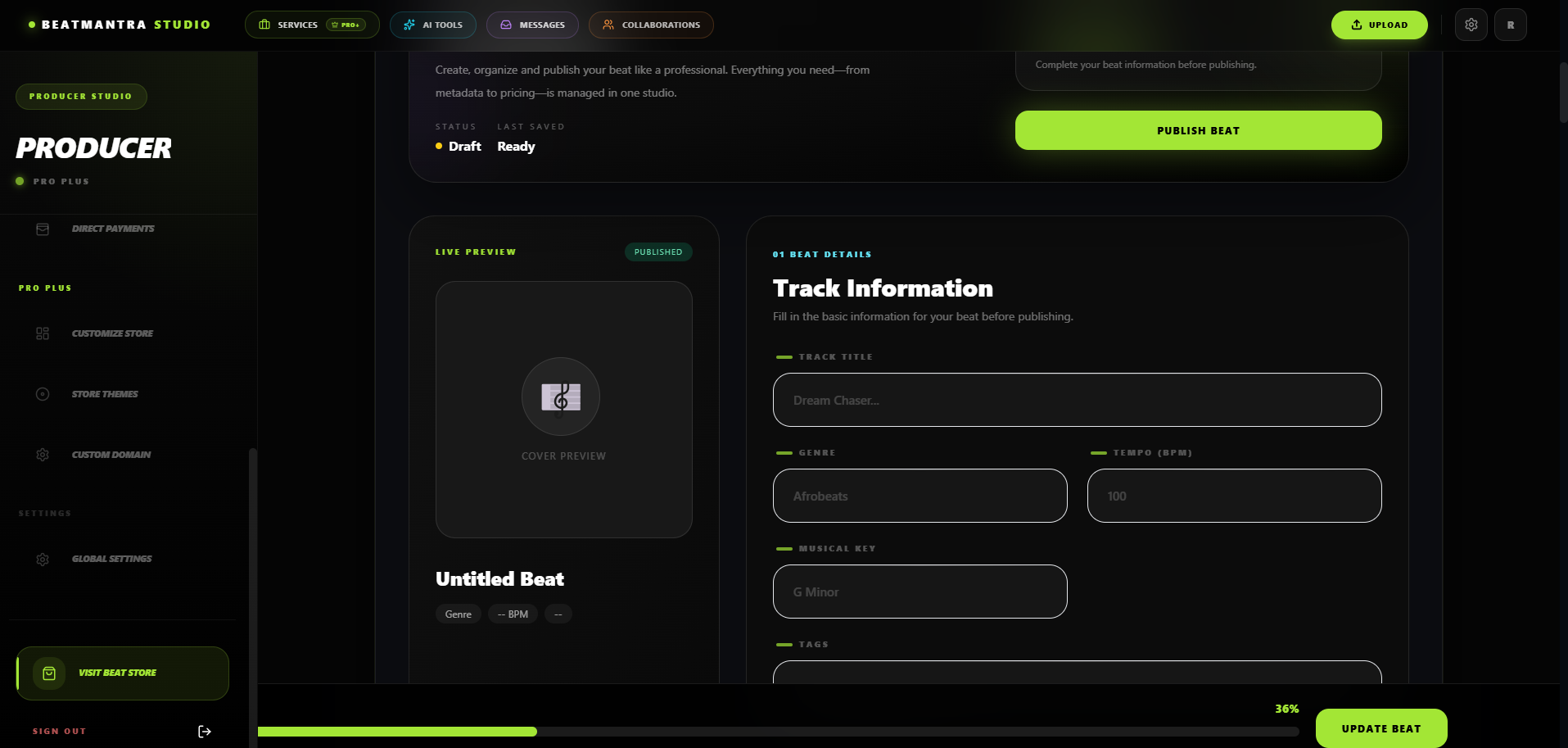
Overview
BeatMantra allows you to upload professional beat listings complete with licenses, collaborators, pricing, artwork and downloadable assets.
Before You Begin
- Complete your Producer Profile.
- Configure BeatMantra Payouts.
- Complete License Studio.
BeatMantra Payout details are required before your first beat can be published.
If License Studio is not completed, your customers' License PDF will not contain your licensing requirements and rights.
Step 1 — Beat Information
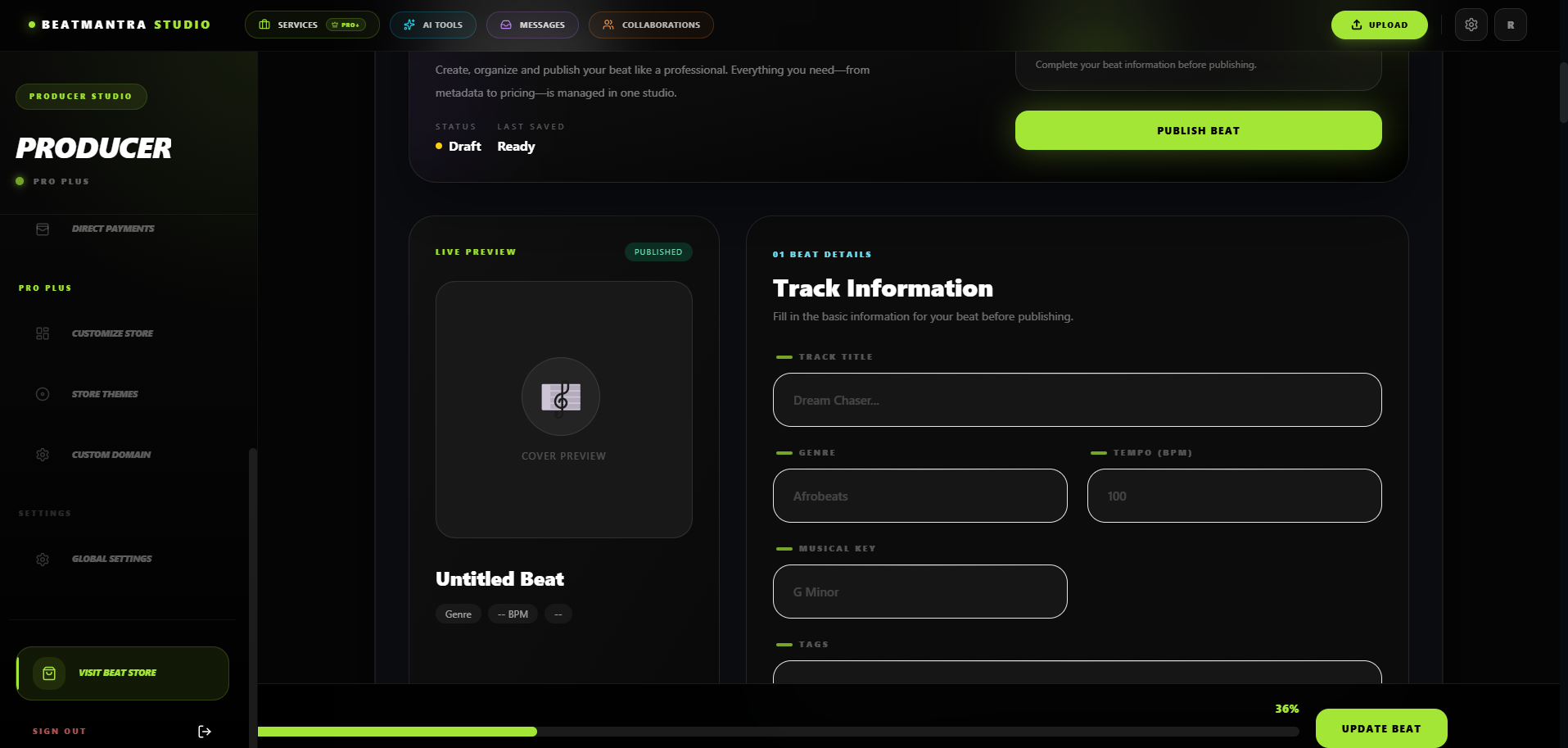
Complete all required beat information including title, BPM, musical key, genre, mood, tags and description.
Step 2 — Upload Assets
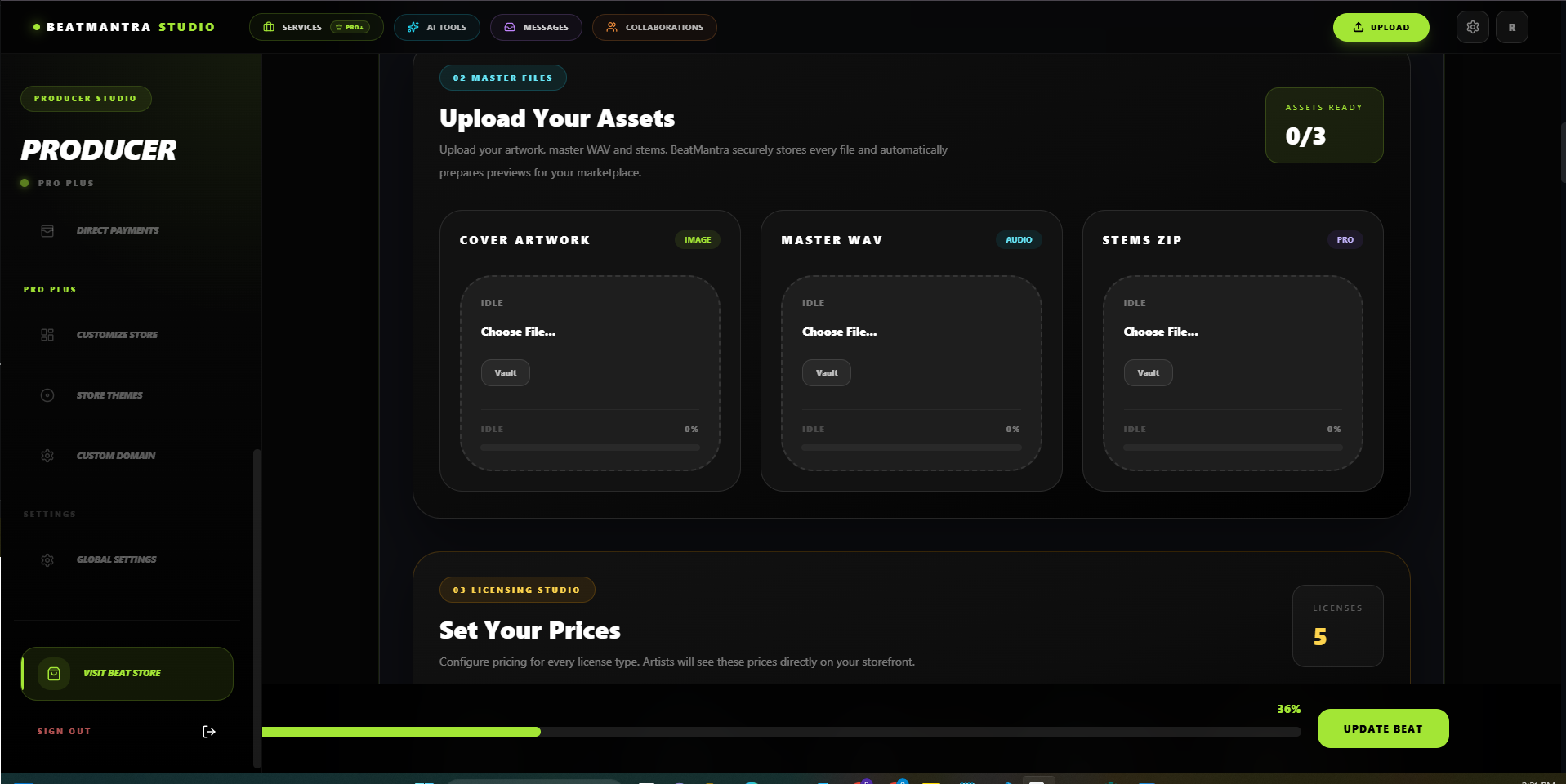
Upload your Preview MP3, MP3 Master, WAV Master, Stems ZIP and Cover Artwork.
Step 3 — Pricing & Collaborators
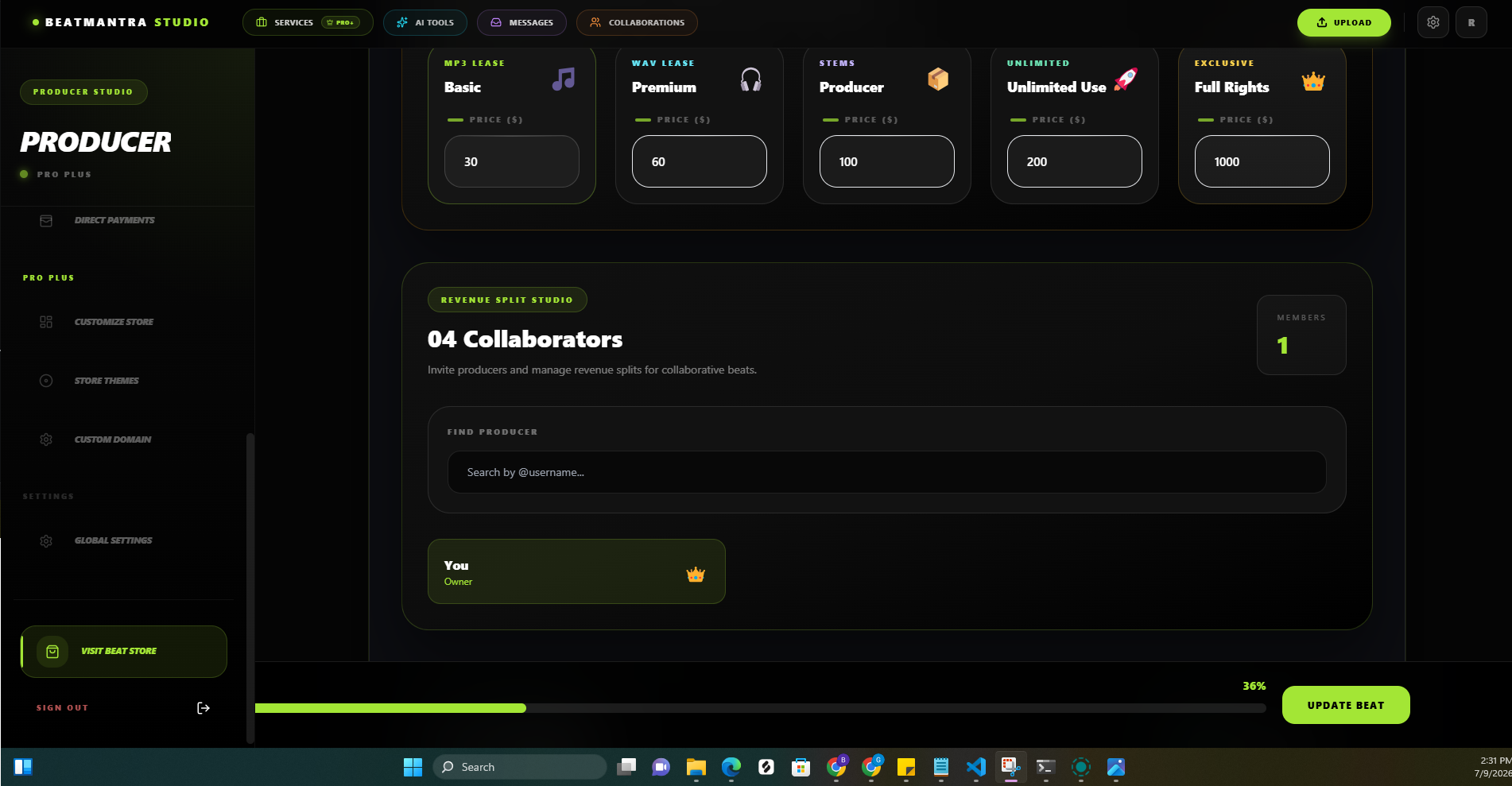
Configure your license prices and add collaborators before publishing your beat.
Step 4 — Bulk WAV Import
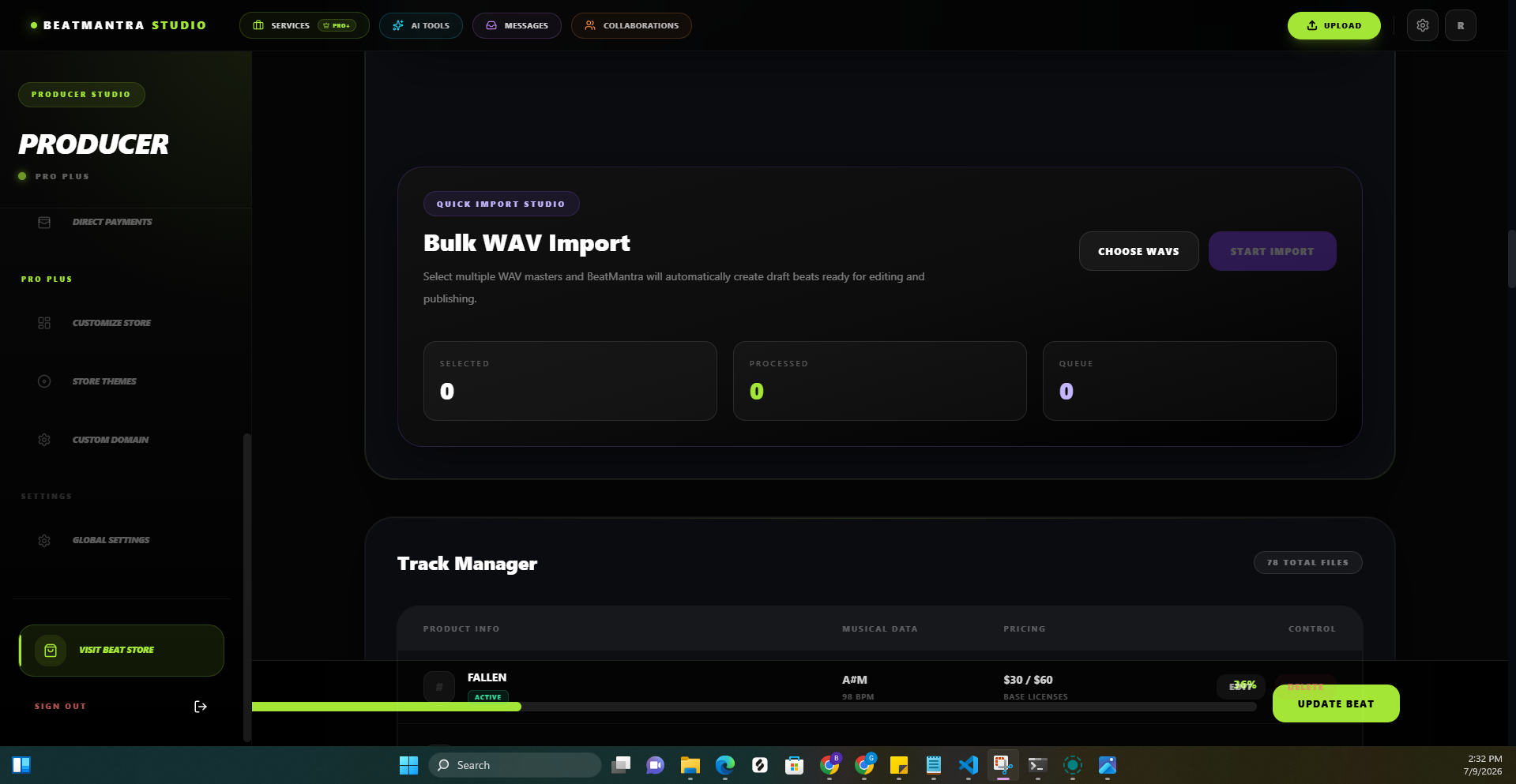
Bulk WAV Import automatically creates draft beats from multiple WAV files.
Before Publishing
- Verify pricing.
- Verify collaborators.
- Verify artwork.
- Verify uploaded files.
- Verify License Studio.
Common Mistakes
- Publishing without payout details.
- Incomplete License Studio.
- Wrong WAV upload.
- Missing stems.
Related Articles
File Manager
Manage all of your uploaded files from one place inside BeatMantra Studio.
Collaborator Splits
Learn how to add collaborators to your beats, assign revenue percentages, and understand purchase notifications and revenue sharing on BeatMantra.
Frequently Asked Questions
Answers to common questions about BeatMantra, including payments, producer payouts, beat sales, subscriptions, and storefronts.
Producer Onboarding Checklist
Complete every required step before launching your BeatMantra store.